
Customer Orders – Shop Sale / Fitting / Quotes
https://ibridge.co.uk/help/knowledge-base/customer-impersonation/
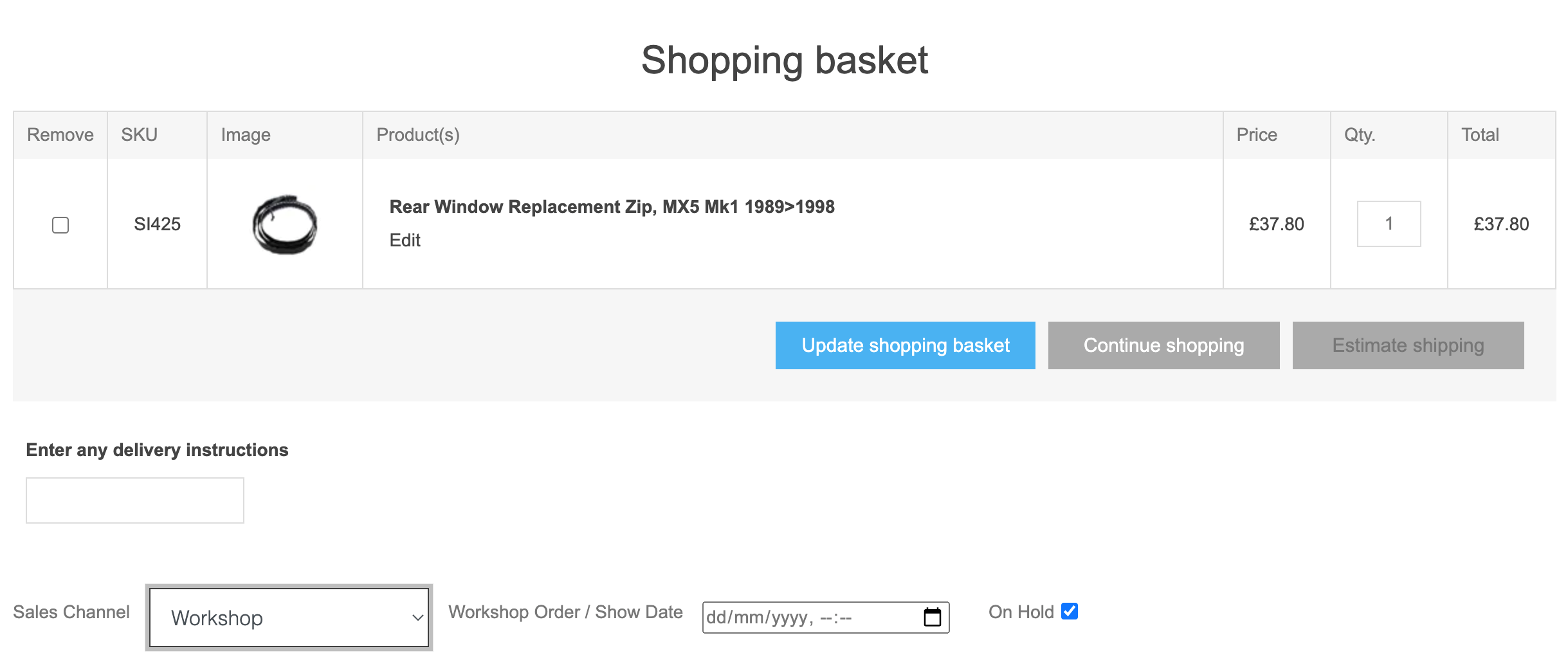
As described in the above section we find & place an order in impersonate mode for the customer, but we can before checkout iin Shopping basket) select one of these channels and a new date/hold option is shown. Leaving this as ON HOLD=YES allows the order to be completed without any payment taken (marked as cash for now).
to find and complete these orders go into Saved Oders https://mx5testbob.bob2.co.uk/Admin/BobOrder/SavedOrder
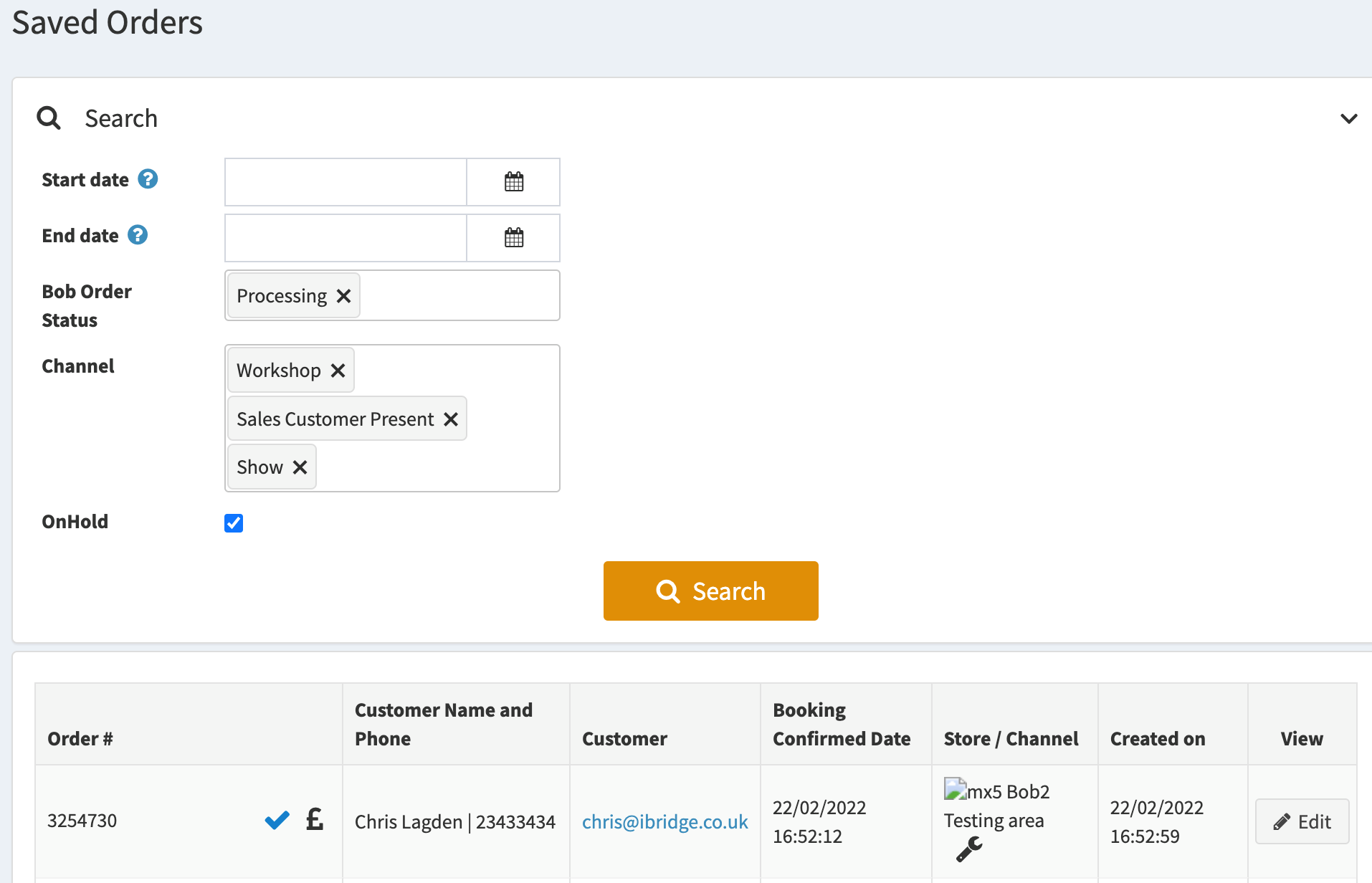
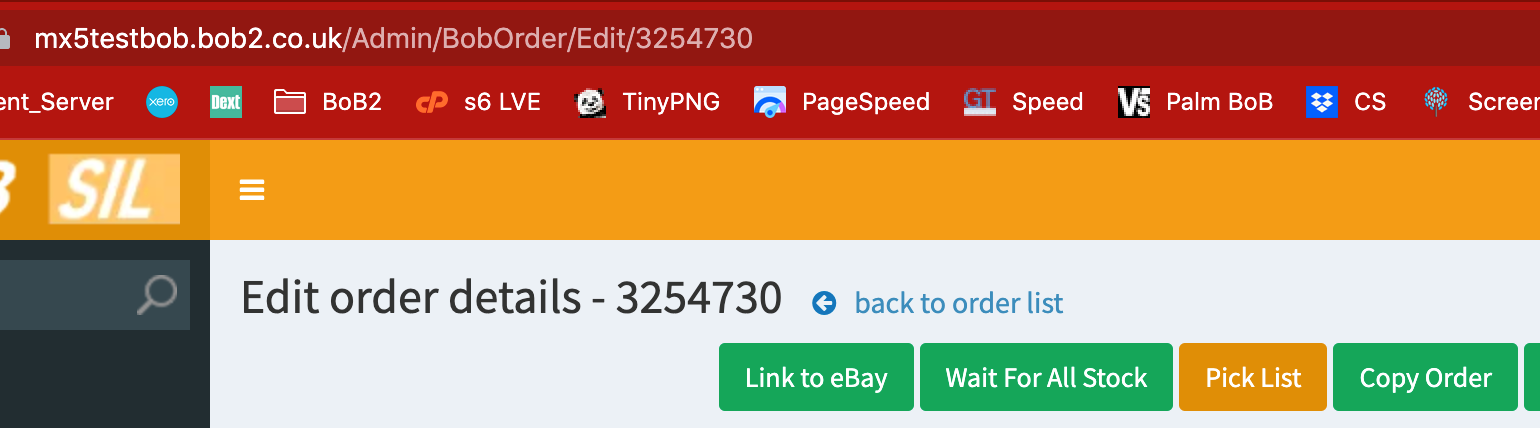
click edit next to the order you want to view/update and once you are sure it’s the correct orcder you click Copy Order
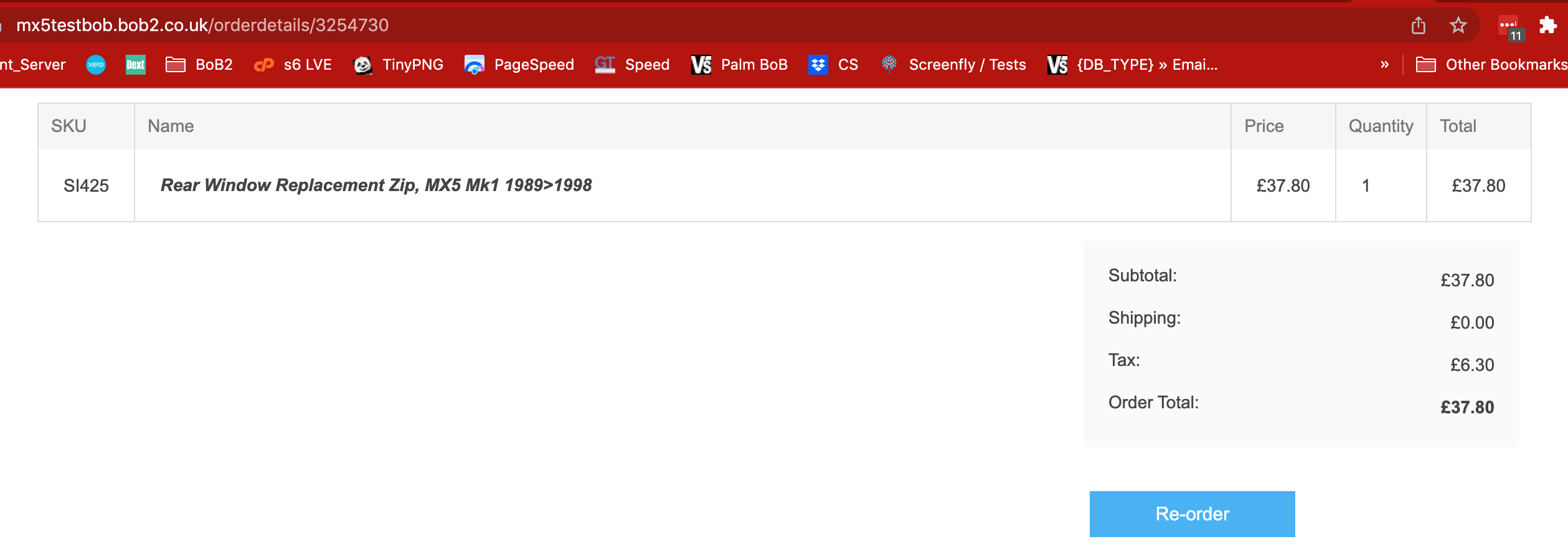
scroll to the bottom of the order / cart and click Re-Order
this puts you back into Customer Impersonate mode, loading in the products from that order
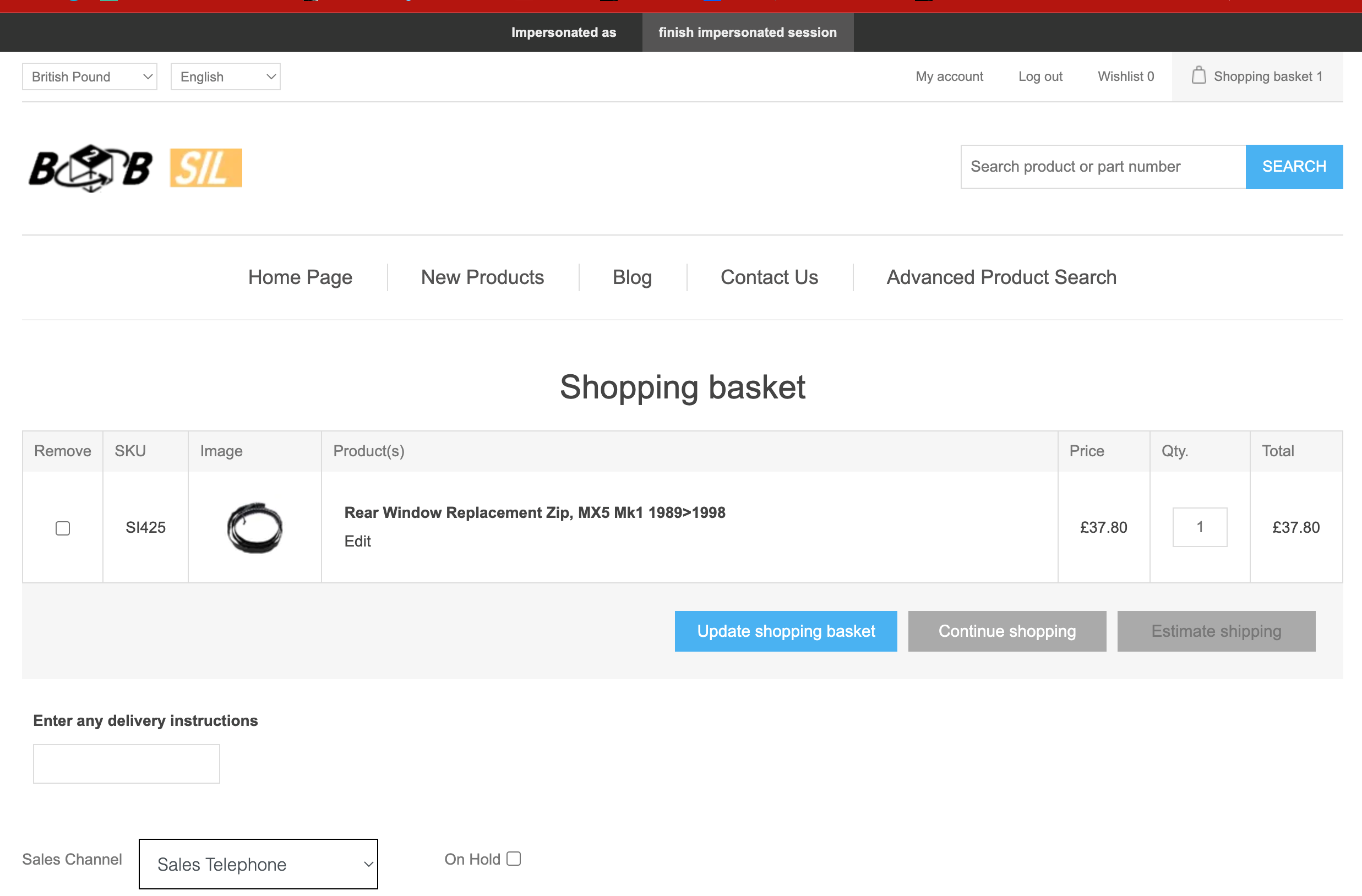
you can now complete or amend then complete this order.
Note: any allocated stock is held on one side and relinked to the order on completion. If you can the order its unallocated via a process LATER.
Note2: see above screen shot for the OnHold flag, you can edit and put the order back into a save state as many times as needed.