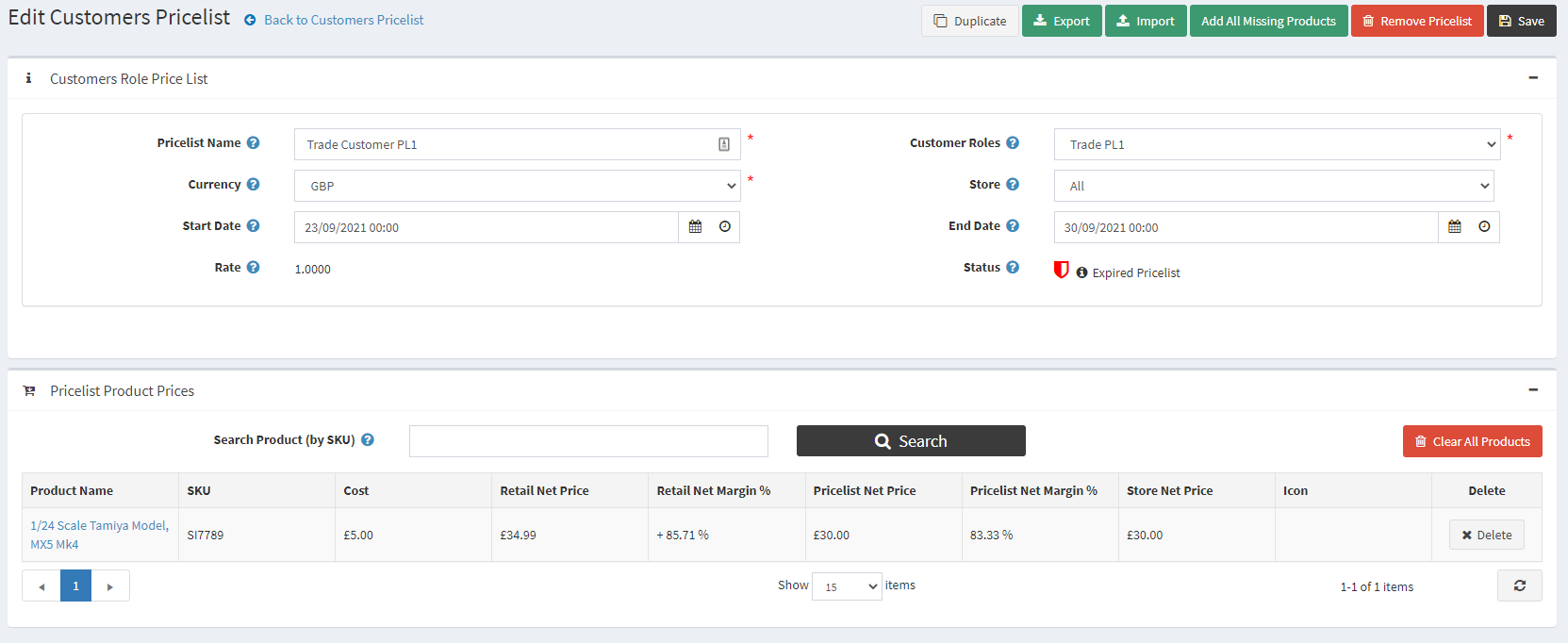
After creating the Pricelist, There are 2 methods of adding data to a Pricelist…
Method 1: Importing your Exported XLS File
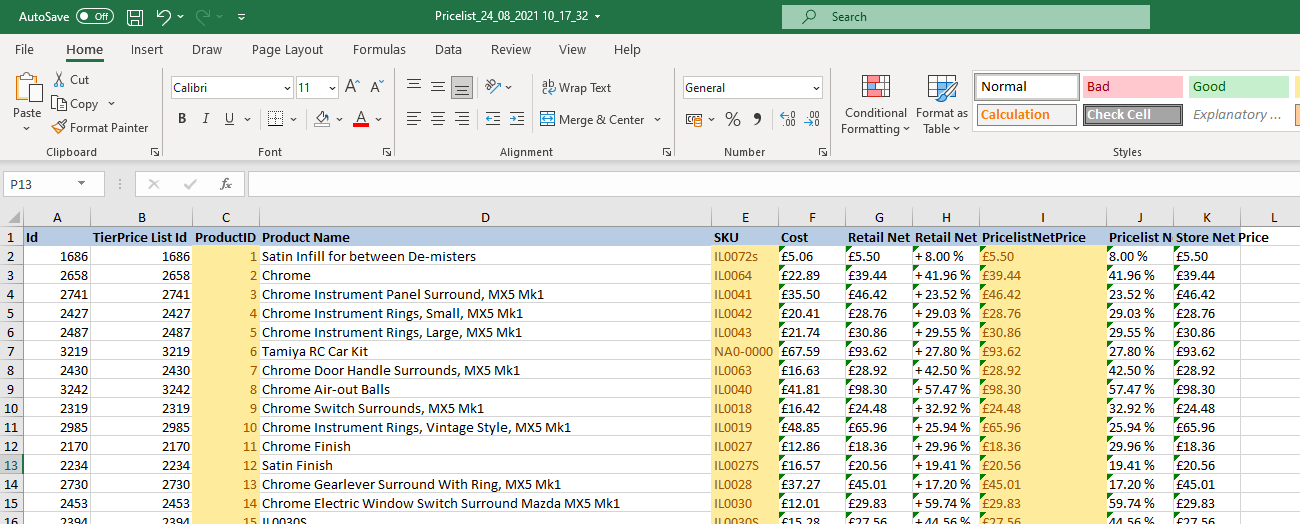
After we have Exported the Pricelist to an XLS format, we can modify it and re-import it. Please only change the PricelistNetPrice field for the line you are changing. And also ensure that for each Product Price line you are adding that there is a ProductId, SKU and PricelistNetPrice. These 3 fields are all required for line of the XLS file you add. Please make sure you have added them before importing.
Method 2: Importing Using a Template
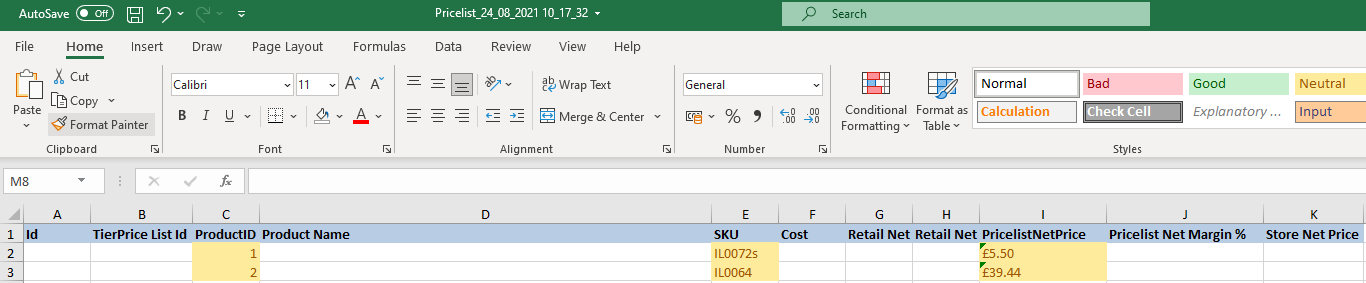
You can use this template (PricelistTemplate.xlsx) which is an empty version of the example image above. Within this you must ensure you add a ProductId, SKU and PricelistNetPrice for each row you want to define a Product Price for. If you haven’t defined at least these fields for a Product then it will not be able to Import the XLS.
PLEASE BE AWARE!!!
Pricelist Net Price must always be lower than the Product Net Price. Please ensure this is the case. In addition, you will also need to frequently check the Pricelist Net Price when you change a Products Net Price.
Importing the XLS File
Once you have an XLS file ready to import.
Navigate to BoB2 → Customers→ Bob Customer Price Lists
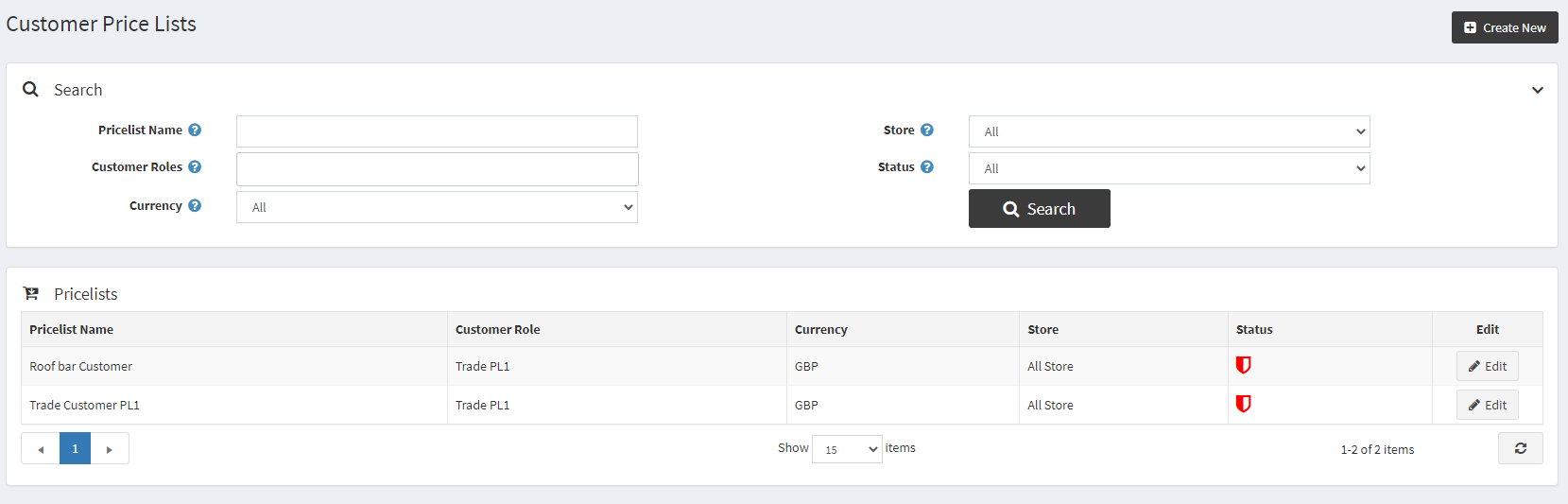
And find the Price List from the List you want to import to. Then press the “Edit” button adjacent to the row of the Price List.
You will now be in the Price List view screen where you will see a button at the top called “Import”, press the “Import” button in the upper right-hand corner. This will display a window where you can insert the XLS you have configured. Then press “Import”.

Confirming Import
You will then be asked to confirm the Import. (Note: You can only import, when there are no errors with the data). The Pricelist Import is looking for 3 different fields, ProductId, SKU and PricelistNetPrice. Please ensure you have entered all 3 per XLS row otherwise it will not allow an Import.


Price List Validation
Once “Confirmed”, you will see the grid below for the Price List has been updated with the new Prices. Please ensure these are correct before setting the Price List as Live.