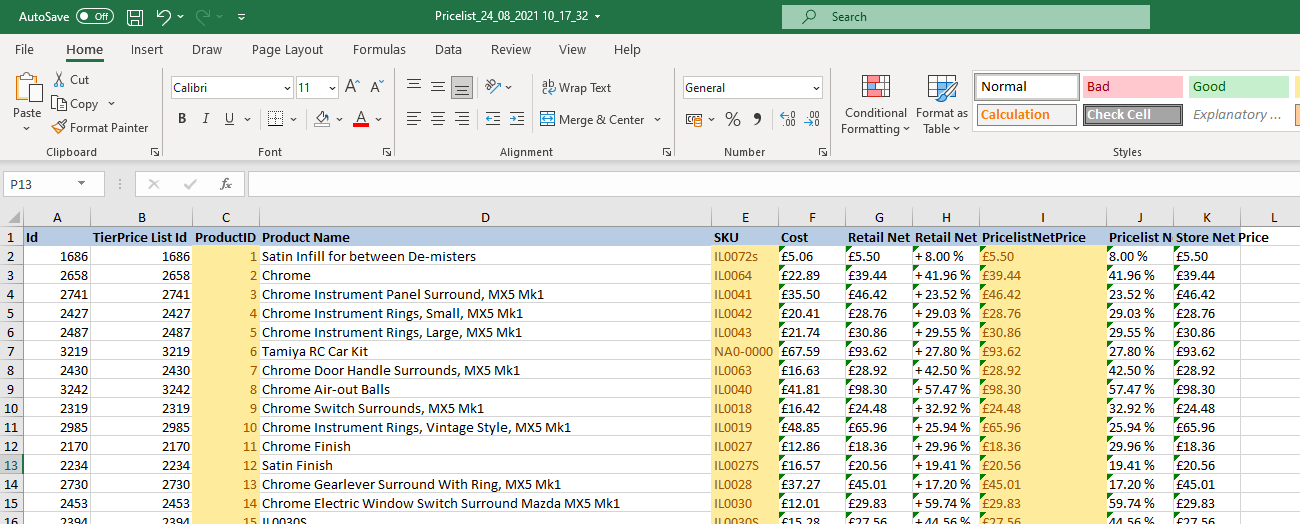
Pressing the “Export” button above the Pricelist header will create a new XLS file with all of the details related to the Pricelist.

XLS File
Once the XLS file has been produced. From here you can modify the Product Prices you desire by changing the value within the “PricelistNetPrice” column. Please then see the Import guide (https://ibridge.co.uk/help/knowledge-base/importing-a-price-list/) on the specifics required for when you re-import the Price List and what to watch out for…