
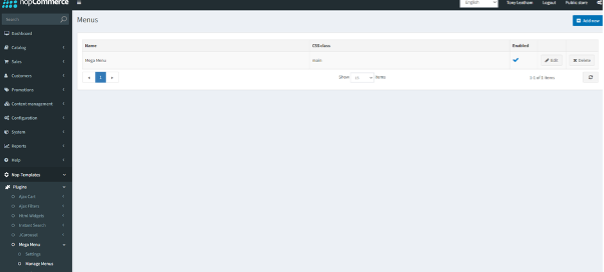
Navigate to Nop-Templates > Plugins > Mega Menu > Manage Menus
Click the Edit button alongside the Mega Menu
Click the Menu Items tab and you will see the menu structure on the right-hand side and a configurator on the left.
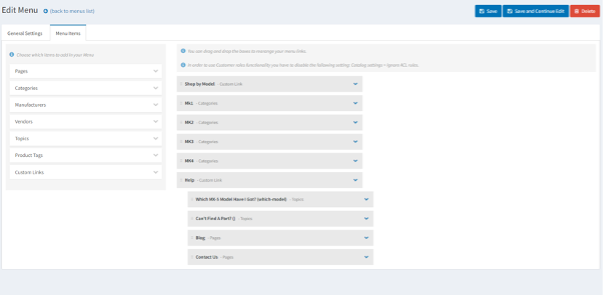
The menu is already configured to display the categories and all of their subcategories correctly, however, you may need to add some additional entries to the Help menu.
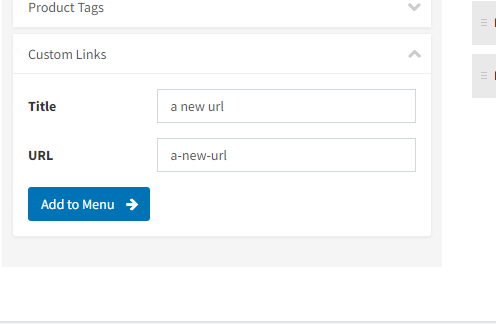
Expand Custom Links in the config section and type your link title and URL.
Click the ‘Add to Menu’ button
Now drag the new menu item so that it rests underneath the Help Menu
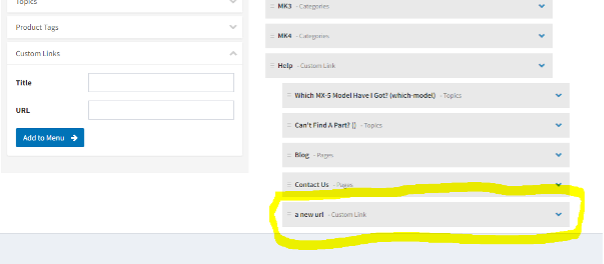
Click Save and the new menu item will appear